> ## Documentation Index
> Fetch the complete documentation index at: https://felix.so/docs/llms.txt
> Use this file to discover all available pages before exploring further.
# Chat
> Describe your process in plain language. Felix asks follow-up questions and builds the workflow from your answers.
The chat is where every workflow starts. You don't need a precise description to begin — Felix is designed to work with what you have and fill in the gaps.
## How to describe your process
Start by explaining what you want to automate as you would to a colleague. Include:
* What you're working with — documents, data, emails, records
* What you want to happen to it
* Where the output should go
Felix will ask follow-up questions if anything is unclear or missing. Answer them as you would in a normal conversation.
| Too vague | Enough to build from |
| ------------------- | ---------------------------------------------------------------------------------------------------------------------------------------------------------- |
| Review my contracts | Extract the parties, start date, end date, notice period, and governing law from uploaded contract PDFs. Output a summary table with one row per contract. |
You don't need to reach the second example before starting. Begin with what you know — Felix will ask for the rest.
## How follow-up questions work
After your initial description, Felix may ask questions like:
* *Where are the contracts stored — uploaded directly, or in a connected service like Google Drive?*
* *What format should the output be in — a table, a CSV, a document?*
* *Should this run once or on a schedule?*
Answer each question and Felix will continue building. The more precisely you answer, the more accurately the workflow will reflect your real process.
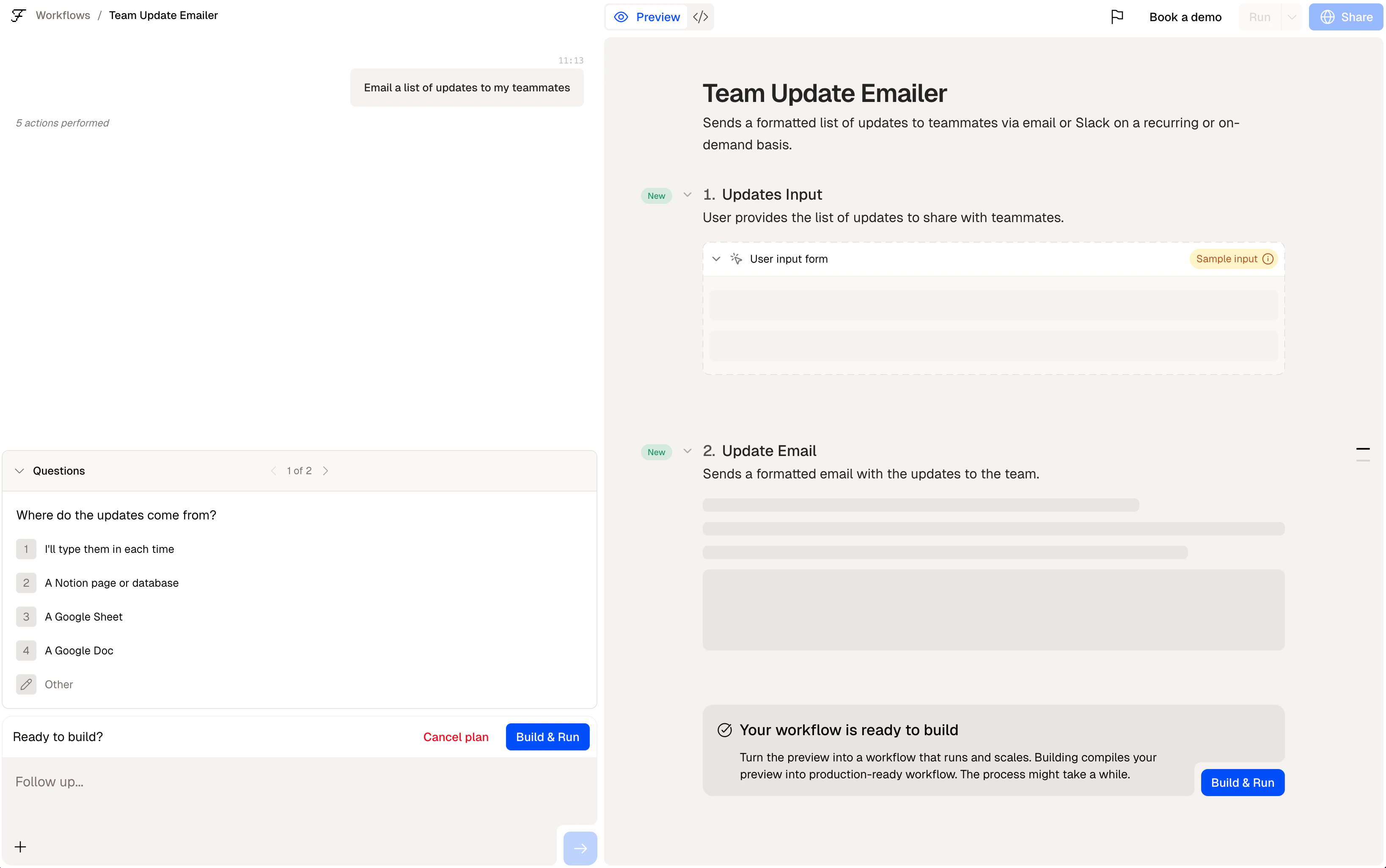 Felix asks follow-up questions to close gaps — not to test you. There are no wrong answers. If
you're unsure, describe what usually happens and Felix will work with that.
## Adding steps
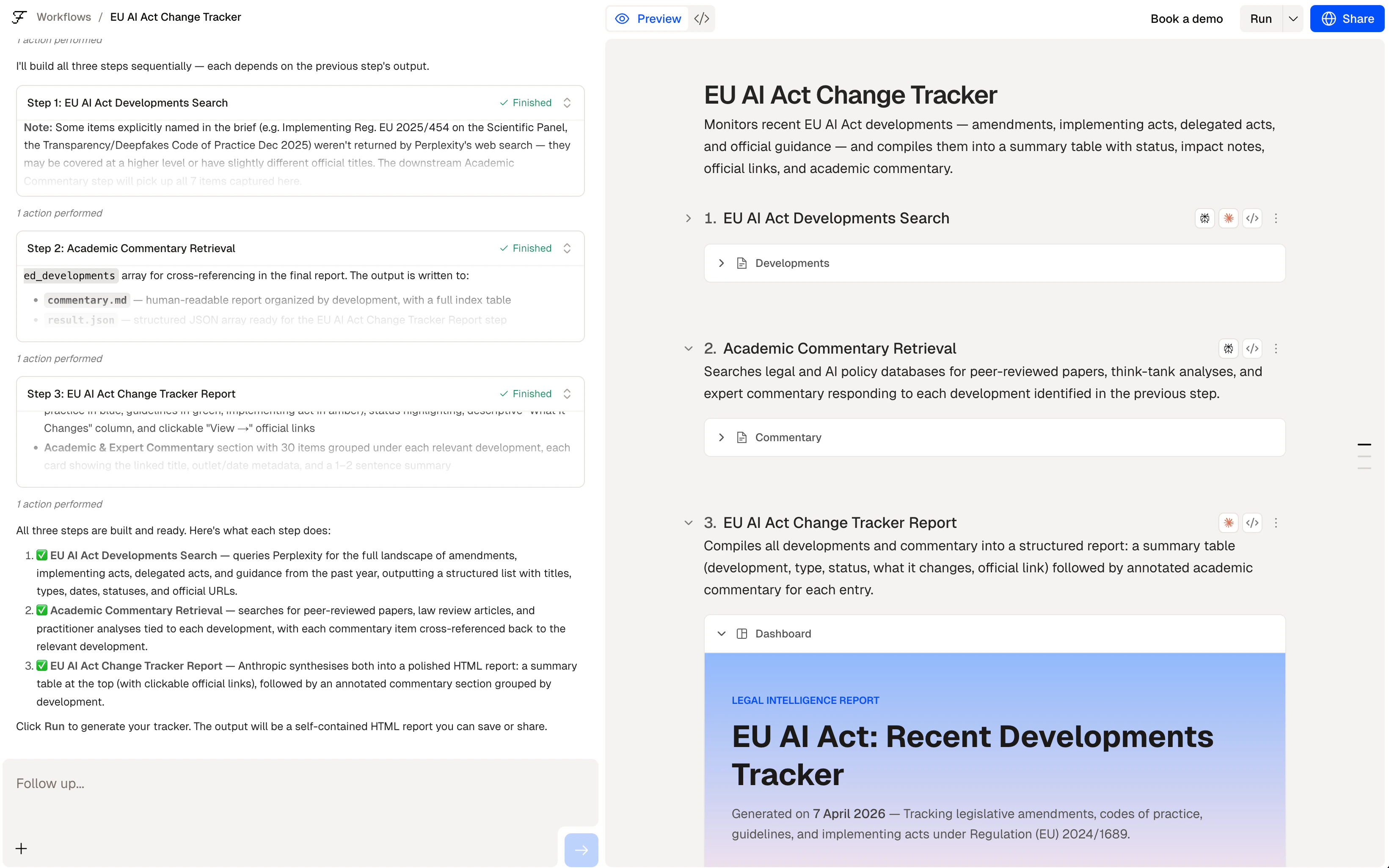
Once your first step is built, you can add more by continuing the conversation. Type the next part of your process and Felix will add a step that builds on the previous one.
**Example conversation:**
```
You: Extract the key obligations and termination clauses from the
uploaded contracts.
Felix: Done. Should I output these as a table, or write them to a
document?
You: Write them to a Google Sheet with one row per contract, then
send a Slack message to #legal-ops with a summary of how many
contracts were processed.
```
Each part of your description becomes a step. Felix wires them together.
Felix asks follow-up questions to close gaps — not to test you. There are no wrong answers. If
you're unsure, describe what usually happens and Felix will work with that.
## Adding steps
Once your first step is built, you can add more by continuing the conversation. Type the next part of your process and Felix will add a step that builds on the previous one.
**Example conversation:**
```
You: Extract the key obligations and termination clauses from the
uploaded contracts.
Felix: Done. Should I output these as a table, or write them to a
document?
You: Write them to a Google Sheet with one row per contract, then
send a Slack message to #legal-ops with a summary of how many
contracts were processed.
```
Each part of your description becomes a step. Felix wires them together.
 ## Editing a step
To change what a step does, click on it and update the description. Felix regenerates the code for that step automatically. You don't edit code directly.
## Tips
* **Describe the output first if you know it.** Working backwards from what you need often produces a cleaner workflow.
* **Name your connectors explicitly.** Use `@GoogleSheets` rather than "a spreadsheet" — Felix connects the right service automatically.
* **Describe edge cases if they matter.** If certain documents should be skipped or flagged differently, say so in your description.
* **Break complex processes into stages.** Describe one stage at a time rather than everything at once.
Review the steps Felix generated
Deeper guide to writing step descriptions
Connect your tools
## Editing a step
To change what a step does, click on it and update the description. Felix regenerates the code for that step automatically. You don't edit code directly.
## Tips
* **Describe the output first if you know it.** Working backwards from what you need often produces a cleaner workflow.
* **Name your connectors explicitly.** Use `@GoogleSheets` rather than "a spreadsheet" — Felix connects the right service automatically.
* **Describe edge cases if they matter.** If certain documents should be skipped or flagged differently, say so in your description.
* **Break complex processes into stages.** Describe one stage at a time rather than everything at once.
Review the steps Felix generated
Deeper guide to writing step descriptions
Connect your tools