> ## Documentation Index
> Fetch the complete documentation index at: https://felix.so/docs/llms.txt
> Use this file to discover all available pages before exploring further.
# Custom Connectors
> Connect any REST API not in the built-in connector list.
Custom connectors let your workflows interact with internal systems, specialist data providers, regulatory databases, and any other service that exposes a REST API.
## How to add a custom connector
1. Go to **Settings → Connectors → Custom**
2. Click **Add custom connector**
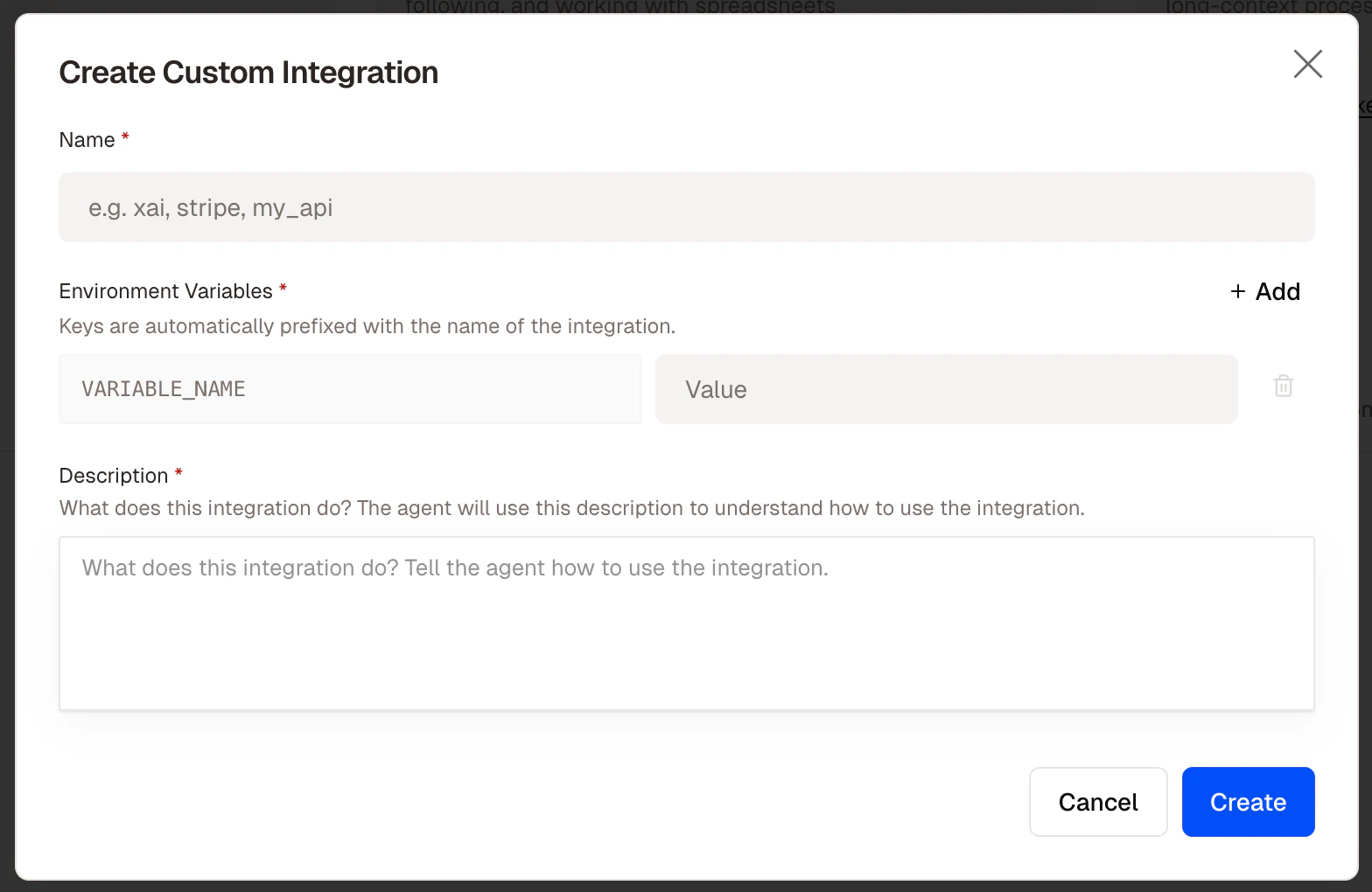
3. Fill in the three required fields:
**Name** — A short identifier for the connector — letters and underscores only. This becomes the `@mention` you use in step descriptions and the prefix for your credential keys.
```
companies_house
internal_crm
regulatory_db
```
**Environment variables** — The API credentials Felix needs to authenticate with the service. Add at least one key-value pair:
* **Key** — letters and underscores only, e.g. `API_KEY`, `SECRET`
* **Value** — the credential value (stored encrypted)
Felix automatically prefixes keys with the connector name. A connector named `companies_house` with key `API_KEY` becomes `COMPANIES_HOUSE_API_KEY` in the generated code. You can add multiple credentials per connector. Duplicate keys are rejected.
**Description** — Explain what the API does and how to use it. Felix reads this description when generating code for steps that reference the connector — the more clearly you describe the API, the more accurately Felix will call it.
```
The Companies House API provides company registration data for
UK businesses. Use it to fetch company profiles, filing history,
and director information by company number or name. Base URL:
https://api.company-information.service.gov.uk
```
4. Click **Save**
 Your connector is now available across all workflows using the name you chose.
## Using a custom connector in a step
Reference it by name in any step description, exactly like a built-in connector.
```
Fetch the filing history for the company from @companies_house.
Extract the filing date, filing type, and description for each
filing in the last 12 months.
```
## Managing custom connectors
From **Settings → Connectors → Custom** you can edit a connector's name, credentials, or description, add or remove environment variables, or delete a connector.
Deleting a connector does not delete workflows that reference it, but those workflows will fail at steps that use it until a replacement is connected.
## Security
All custom connector credentials are encrypted at rest using AES encryption. Felix only uses them when a workflow step requires it. Credentials are never exposed in logs, outputs, or the code view.
## Tips
* **Write a detailed description.** The description is how Felix understands the API. Include the base URL, what the API does, and any important usage notes.
* **Test with a simple step first.** Before building a complex workflow around a custom connector, create a single step that fetches a known record to confirm the connection works.
* **Use descriptive names.** `@land_registry` and `@internal_dms` read naturally in step descriptions. `@api1` does not.
* **Add multiple credentials where needed.** If an API requires both an API key and a secret, add both as separate environment variables under the same connector.
Your connector is now available across all workflows using the name you chose.
## Using a custom connector in a step
Reference it by name in any step description, exactly like a built-in connector.
```
Fetch the filing history for the company from @companies_house.
Extract the filing date, filing type, and description for each
filing in the last 12 months.
```
## Managing custom connectors
From **Settings → Connectors → Custom** you can edit a connector's name, credentials, or description, add or remove environment variables, or delete a connector.
Deleting a connector does not delete workflows that reference it, but those workflows will fail at steps that use it until a replacement is connected.
## Security
All custom connector credentials are encrypted at rest using AES encryption. Felix only uses them when a workflow step requires it. Credentials are never exposed in logs, outputs, or the code view.
## Tips
* **Write a detailed description.** The description is how Felix understands the API. Include the base URL, what the API does, and any important usage notes.
* **Test with a simple step first.** Before building a complex workflow around a custom connector, create a single step that fetches a known record to confirm the connection works.
* **Use descriptive names.** `@land_registry` and `@internal_dms` read naturally in step descriptions. `@api1` does not.
* **Add multiple credentials where needed.** If an API requires both an API key and a secret, add both as separate environment variables under the same connector.