> ## Documentation Index
> Fetch the complete documentation index at: https://felix.so/docs/llms.txt
> Use this file to discover all available pages before exploring further.
# Connectors
> Connectors link Felix to the tools and data sources your workflows read from and write to.
Once connected, you reference a connector in any workflow step using an `@mention` — `@Slack`, `@GoogleDrive`, `@OpenAI`. Felix handles authentication, API calls, and response parsing automatically.
## How connectors work
Connect a service once. After that, it's available across all your workflows.
```
Fetch all contracts added to @GoogleDrive in the last 7 days.
Extract the key clauses from each one using @Anthropic.
Write the results to @GoogleSheets.
```
Felix uses the `@mention` to identify the right connector, call the correct APIs, and handle authentication — without you writing any integration code.
## Connector types
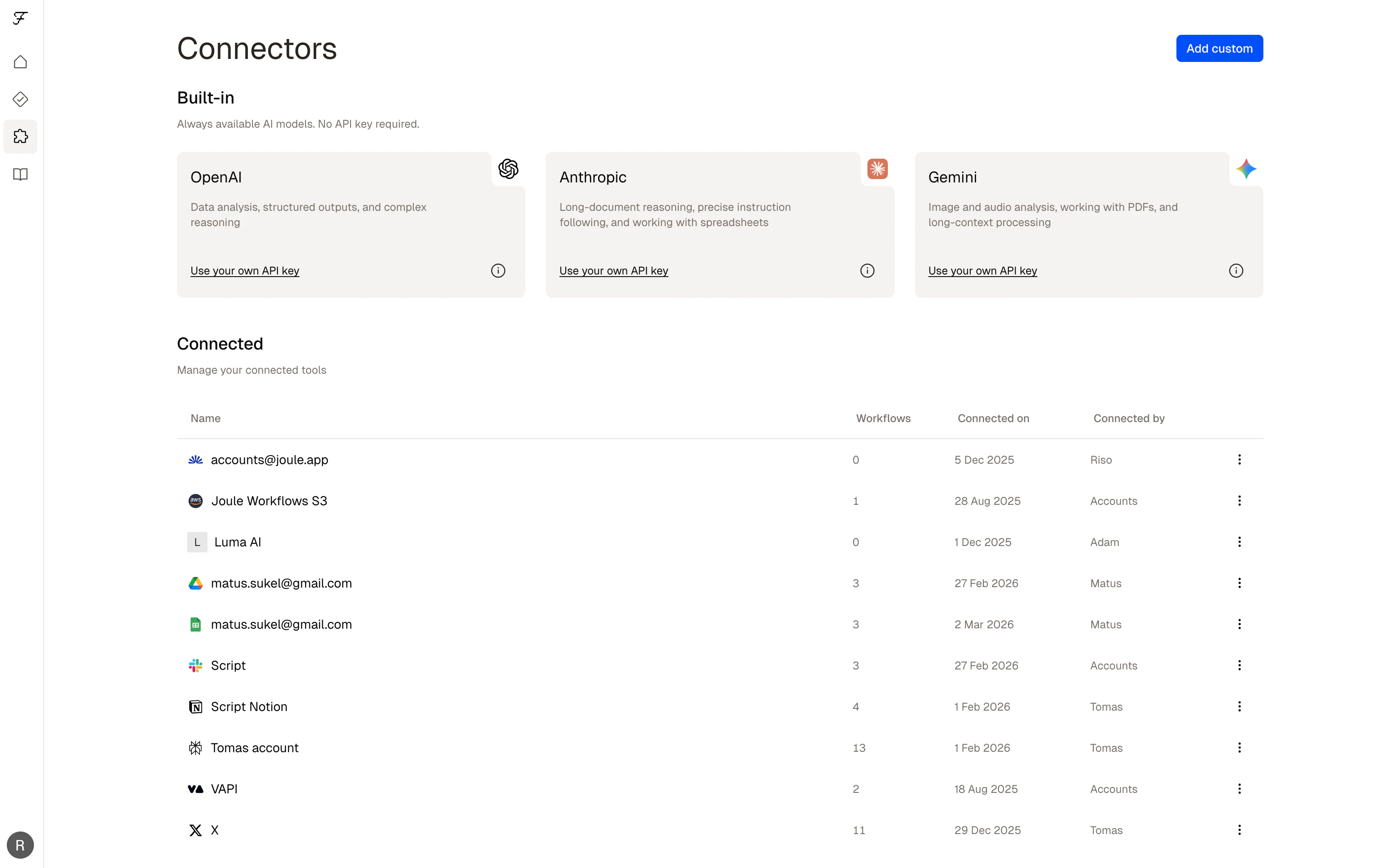
**AI models** — Anthropic, OpenAI, and Google Gemini are available in every Felix account by default. No setup required. See [AI Models](/docs/connectors/ai-models).
**Built-in connectors** — Pre-built integrations with commonly used services. Connect them once from **Settings → Connectors**. See [Built-in Connectors](/docs/connectors/built-in).
**Custom connectors** — Connect any REST API not in the built-in list. Provide a name, your API credentials, and a description of what the API does. See [Custom Connectors](/docs/connectors/custom).
## Adding a built-in connector
1. Go to **Connectors** in the sidebar menu
2. Find the service you want to connect and click **Connect**
3. Authenticate via OAuth or enter your API key
4. Done — the connector is available in all your workflows
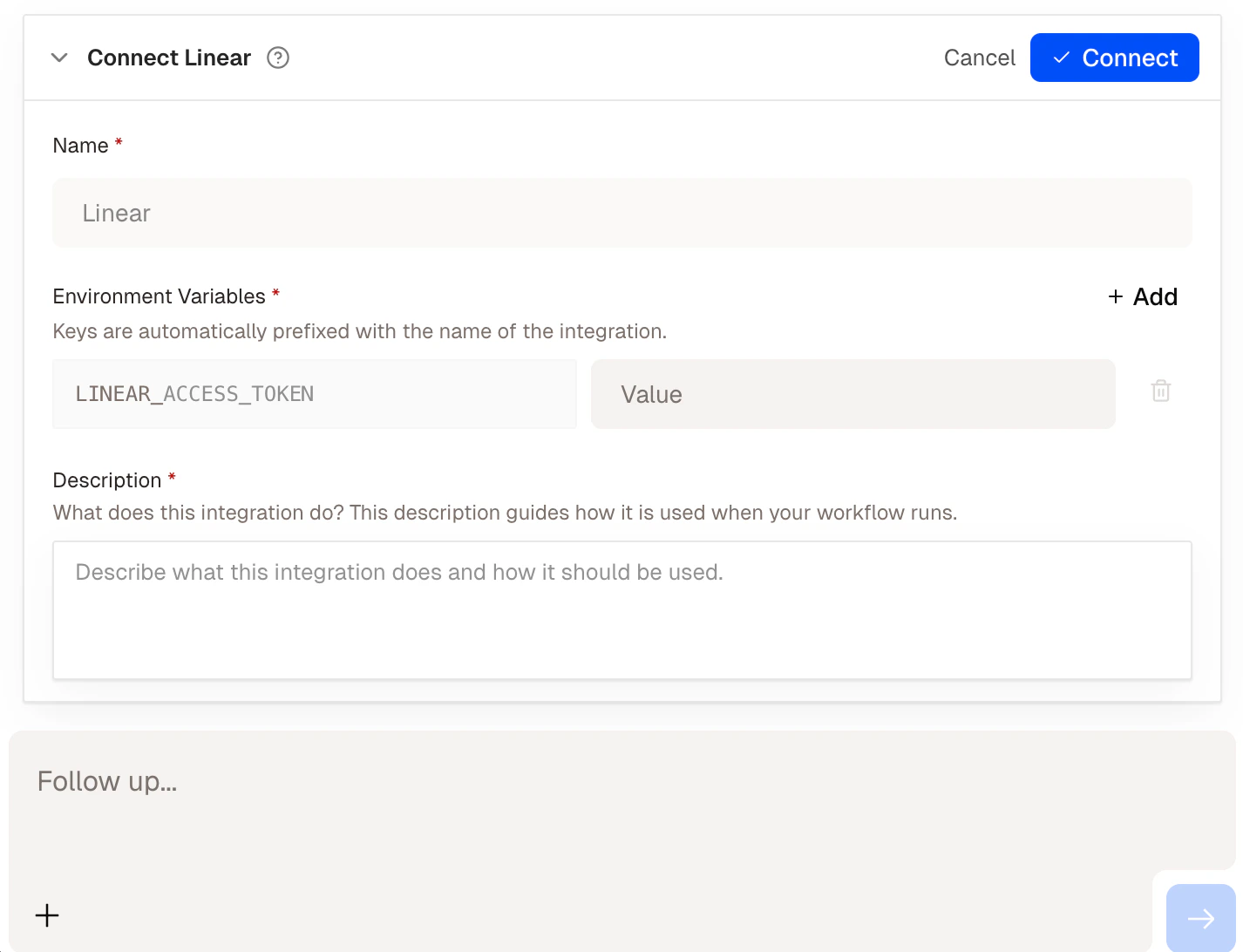
 You can also connect a service mid-build. If you `@mention` a connector that isn't connected yet, Felix will prompt you to authenticate before continuing.
 ## Managing your connectors
From **Settings → Connectors** you can:
* See all connected services and their status
* Reconnect a service if authentication has expired
* Revoke access to a service at any time
Credentials are encrypted at rest. Felix only uses them when a workflow step requires it.
## Tips
* **AI models need no setup.** `@Anthropic`, `@OpenAI`, and `@Gemini` work immediately in any step.
* **Connect your tools before building.** Having connectors set up in advance means Felix can reference them without interrupting the build flow.
* **Use `@mentions` explicitly.** `@GoogleDrive` is clearer than "my file storage" — Felix generates more accurate code when connectors are named directly.
Browse all supported services
Use Anthropic, OpenAI, and Gemini
Connect any REST API
## Managing your connectors
From **Settings → Connectors** you can:
* See all connected services and their status
* Reconnect a service if authentication has expired
* Revoke access to a service at any time
Credentials are encrypted at rest. Felix only uses them when a workflow step requires it.
## Tips
* **AI models need no setup.** `@Anthropic`, `@OpenAI`, and `@Gemini` work immediately in any step.
* **Connect your tools before building.** Having connectors set up in advance means Felix can reference them without interrupting the build flow.
* **Use `@mentions` explicitly.** `@GoogleDrive` is clearer than "my file storage" — Felix generates more accurate code when connectors are named directly.
Browse all supported services
Use Anthropic, OpenAI, and Gemini
Connect any REST API