> ## Documentation Index
> Fetch the complete documentation index at: https://felix.so/docs/llms.txt
> Use this file to discover all available pages before exploring further.
# Batch Runs
> Process multiple items through a workflow in a single run.
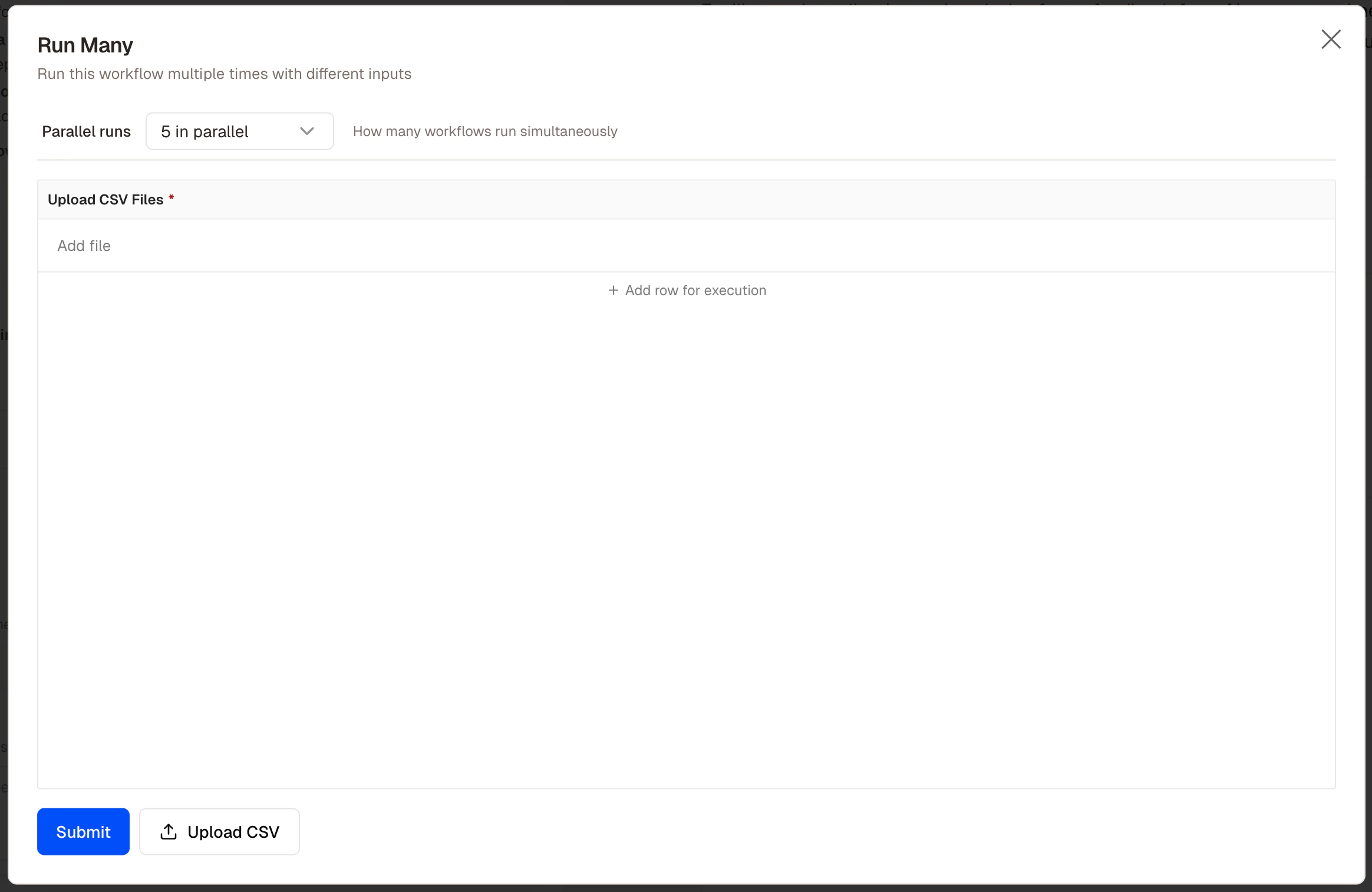
A batch run takes a list of inputs and runs the workflow once for each item — in parallel where possible. Use batch runs when you have a volume of items to process.
## When to use a batch run
* You have multiple items to process with the same workflow
* Processing them one at a time would be slow or impractical
* The items share the same structure
**Examples:**
* Extract key clauses from 200 contracts uploaded to `@GoogleDrive`
* Screen 500 insurance applications against underwriting criteria
* Enrich a list of 1,000 company names with data from `@companies_house` (custom connector)
## How to run a batch
1. Open the workflow
2. Select **Batch run** from the Run dropdown menu
3. Provide your input list — upload a CSV, connect to a data source, or paste a list of values
4. Felix processes each item and collects the outputs into a single result
 ## Structuring your input
**CSV upload** — one row per item, with column headers Felix uses as variable names.
```csv theme={null}
company_number, company_name, jurisdiction
12345678, Acme Legal Ltd, England & Wales
87654321, Smith & Partners, Scotland
```
**Connected data source** — point the batch at a table or sheet in a connected service.
```
Run this workflow for each row in the Applications tab of
@GoogleSheets. Use the columns: applicant_name, loan_amount,
application_date.
```
## Human Checkpoints in batch runs
If a workflow includes a Human Checkpoint, execution pauses for each item when it reaches that step. For high-volume batches, consider an alternative:
```
After processing all applications, generate a summary of items
flagged as high risk and send to @Slack for review.
```
## Tips
* **Test on a small sample first.** Run with 3–5 items before processing the full dataset.
* **Keep input data clean.** Missing values and inconsistent formatting are the most common cause of batch failures.
* **Write outputs to a connected service.** For large batches, writing directly to `@GoogleSheets` or `@Notion` is more practical than downloading a single large file.
* **Use exception-only checkpoints for volume.** Pausing on every item defeats the purpose. Flag exceptions and review them as a group.
## Structuring your input
**CSV upload** — one row per item, with column headers Felix uses as variable names.
```csv theme={null}
company_number, company_name, jurisdiction
12345678, Acme Legal Ltd, England & Wales
87654321, Smith & Partners, Scotland
```
**Connected data source** — point the batch at a table or sheet in a connected service.
```
Run this workflow for each row in the Applications tab of
@GoogleSheets. Use the columns: applicant_name, loan_amount,
application_date.
```
## Human Checkpoints in batch runs
If a workflow includes a Human Checkpoint, execution pauses for each item when it reaches that step. For high-volume batches, consider an alternative:
```
After processing all applications, generate a summary of items
flagged as high risk and send to @Slack for review.
```
## Tips
* **Test on a small sample first.** Run with 3–5 items before processing the full dataset.
* **Keep input data clean.** Missing values and inconsistent formatting are the most common cause of batch failures.
* **Write outputs to a connected service.** For large batches, writing directly to `@GoogleSheets` or `@Notion` is more practical than downloading a single large file.
* **Use exception-only checkpoints for volume.** Pausing on every item defeats the purpose. Flag exceptions and review them as a group.