> ## Documentation Index
> Fetch the complete documentation index at: https://felix.so/docs/llms.txt
> Use this file to discover all available pages before exploring further.
# Scheduled Runs
> Set a workflow to run automatically at a fixed time or interval.
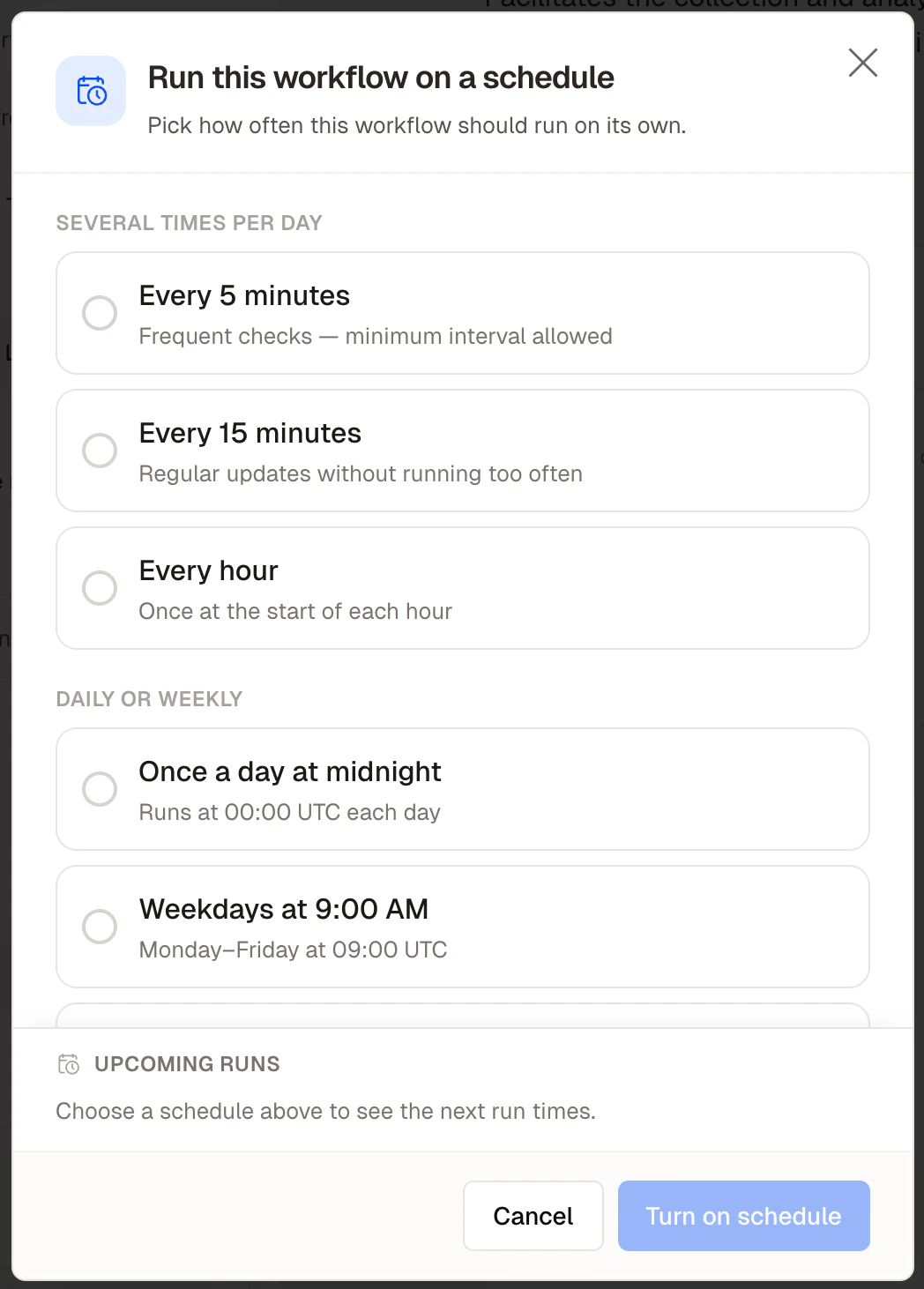
Scheduled runs remove the need to trigger a workflow manually. Once set, Felix runs the workflow on the schedule you define.
## Setting a schedule
1. Open the workflow from your dashboard
2. Select **Schedule** from the Run dropdown menu
3. Choose a schedule:
| Option | Example |
| ------------------- | --------------------------------- |
| **Every N minutes** | Every 30 minutes |
| **Hourly** | Every hour at :00 |
| **Daily** | Every day at 09:00 |
| **Weekly** | Every Monday at 08:00 |
| **Monthly** | 1st of every month at 07:00 |
| **Custom (cron)** | `0 9 * * 1-5` — weekdays at 09:00 |
4. Click **Turn on schedule**
 ## How scheduled runs work
A scheduled run executes the workflow exactly as a manual run would. If the workflow includes a Human Checkpoint, the run pauses and Felix notifies the assigned person. The schedule continues as normal for future runs regardless of whether the paused run has been completed.
## Pausing and stopping a schedule
* **Pause** — temporarily stop scheduled runs without deleting the schedule. Resume at any time.
* **Delete** — remove the schedule permanently. The workflow itself is not affected.
## Monitoring scheduled runs
All scheduled runs appear in the workflow's run history. If a scheduled run fails, Felix logs the error. The schedule continues — the next run triggers at the next scheduled time regardless.
Felix does not currently send automatic notifications when a scheduled run fails. Check your run
history periodically or add a Human Checkpoint to surface failures for review.
## Tips
* **Test manually before scheduling.** Confirm the output is correct before automating.
* **Match the schedule to the data.** If your workflow fetches data from the last 24 hours, a daily schedule makes sense.
* **Use cron for precise timing.** Weekdays only, twice a day, last day of the month — use a custom cron expression.
## How scheduled runs work
A scheduled run executes the workflow exactly as a manual run would. If the workflow includes a Human Checkpoint, the run pauses and Felix notifies the assigned person. The schedule continues as normal for future runs regardless of whether the paused run has been completed.
## Pausing and stopping a schedule
* **Pause** — temporarily stop scheduled runs without deleting the schedule. Resume at any time.
* **Delete** — remove the schedule permanently. The workflow itself is not affected.
## Monitoring scheduled runs
All scheduled runs appear in the workflow's run history. If a scheduled run fails, Felix logs the error. The schedule continues — the next run triggers at the next scheduled time regardless.
Felix does not currently send automatic notifications when a scheduled run fails. Check your run
history periodically or add a Human Checkpoint to surface failures for review.
## Tips
* **Test manually before scheduling.** Confirm the output is correct before automating.
* **Match the schedule to the data.** If your workflow fetches data from the last 24 hours, a daily schedule makes sense.
* **Use cron for precise timing.** Weekdays only, twice a day, last day of the month — use a custom cron expression.