> ## Documentation Index
> Fetch the complete documentation index at: https://felix.so/docs/llms.txt
> Use this file to discover all available pages before exploring further.
# Human Checkpoints
> A Human Checkpoint pauses a workflow and waits for your input before execution continues.
Automation handles the repetitive work. Human Checkpoints are where your judgement comes in — before a high-stakes action, after an AI step you want to verify, or anywhere consistency matters more than speed.
## When to use a Human Checkpoint
* **Before irreversible actions** — sending emails, posting documents, deleting records
* **After AI-generated content** — reviewing a summary or draft before it goes further
* **At approval gates** — compliance sign-off, partner review, quality checks
* **For exceptions** — cases that fall outside the normal rules and need a human call
## How it works
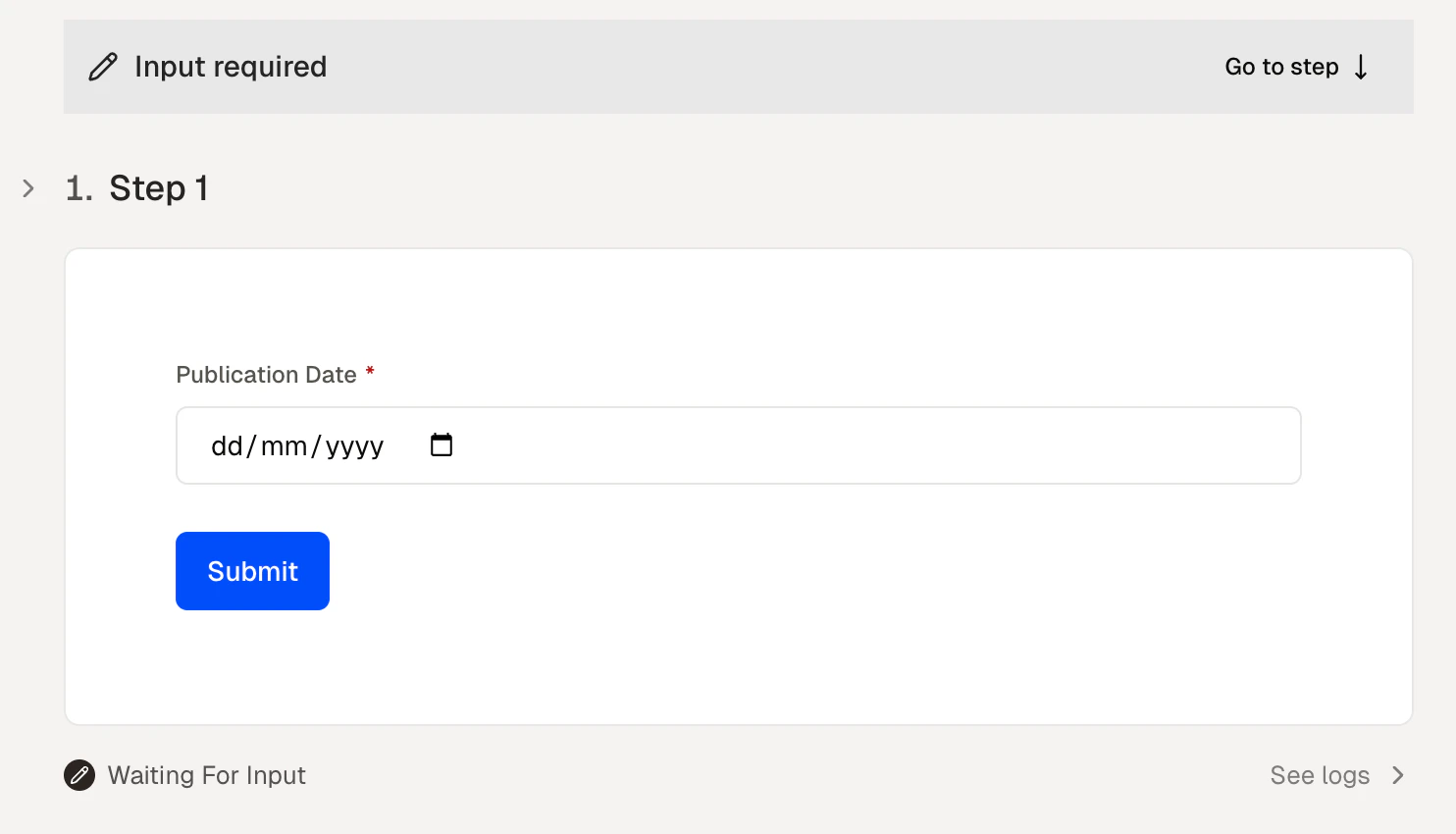
Add a Human Checkpoint to any step in your workflow by describing it in plain language. Felix generates a pause that:
1. Stops execution at that step
2. Surfaces the relevant output or information for your review
3. Presents the options you defined in a form
4. Continues execution based on your response
Felix notifies you when a workflow is paused at a checkpoint. The workflow waits until you respond.
 ## Assigning checkpoints to others
When sharing a workflow, you can assign Human Checkpoints to specific people. Felix notifies the assigned person when execution reaches that step.
This enables handoffs — one person runs the workflow, another completes the checkpoint before anything is sent or published.
See [Share](/docs/building/share) for more on sharing workflows and assigning checkpoints.
## Tips
* **Place checkpoints before actions that are hard to undo.** Sending, publishing, and deleting are the most common cases.
* **Say what you need at the pause.** Describe the decision or information Felix should gather — the checkpoint will follow from that.
* **Don't over-gate.** Too many checkpoints reduce the value of automation. Use them where the stakes justify it.
* **Assign checkpoints to the right person.** If a decision requires a specific role or level of authority, assign it directly.
Add and configure steps
Assign checkpoints to people
How checkpoints work in scheduled runs
## Assigning checkpoints to others
When sharing a workflow, you can assign Human Checkpoints to specific people. Felix notifies the assigned person when execution reaches that step.
This enables handoffs — one person runs the workflow, another completes the checkpoint before anything is sent or published.
See [Share](/docs/building/share) for more on sharing workflows and assigning checkpoints.
## Tips
* **Place checkpoints before actions that are hard to undo.** Sending, publishing, and deleting are the most common cases.
* **Say what you need at the pause.** Describe the decision or information Felix should gather — the checkpoint will follow from that.
* **Don't over-gate.** Too many checkpoints reduce the value of automation. Use them where the stakes justify it.
* **Assign checkpoints to the right person.** If a decision requires a specific role or level of authority, assign it directly.
Add and configure steps
Assign checkpoints to people
How checkpoints work in scheduled runs