

How to describe your process
Start by explaining what you want to automate as you would to a colleague. Include:- What you’re working with — documents, data, emails, records
- What you want to happen to it
- Where the output should go
You don’t need to reach the second example before starting. Begin with what you know — Felix will ask for the rest.
How follow-up questions work
After your initial description, Felix may ask questions like:- Where are the contracts stored — uploaded directly, or in a connected service like Google Drive?
- What format should the output be in — a table, a CSV, a document?
- Should this run once or on a schedule?
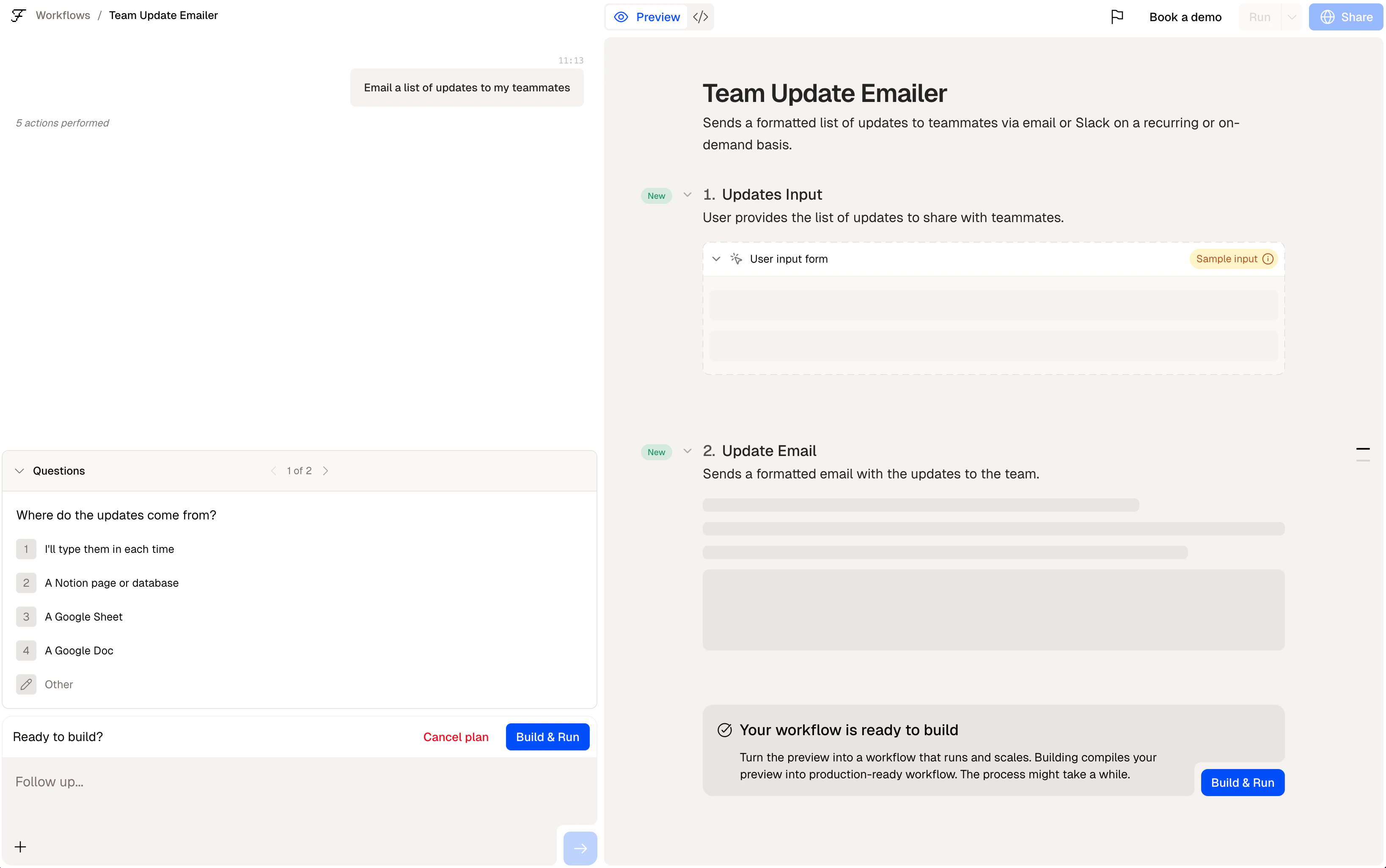
Felix asking a follow-up question during the build conversation
Felix asks follow-up questions to close gaps — not to test you. There are no wrong answers. If
you’re unsure, describe what usually happens and Felix will work with that.
Adding steps
Once your first step is built, you can add more by continuing the conversation. Type the next part of your process and Felix will add a step that builds on the previous one. Example conversation: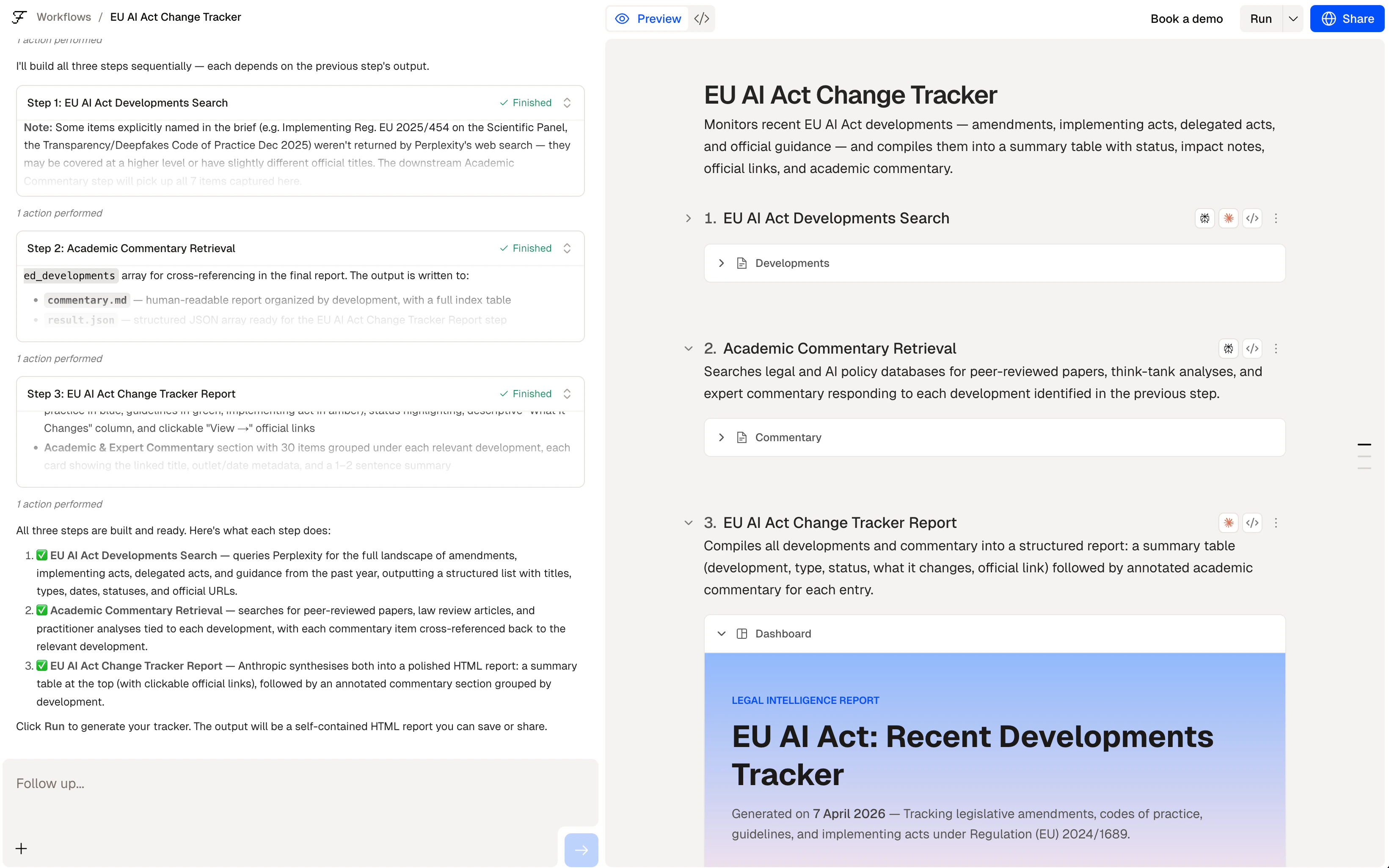
A conversation that has generated multiple workflow steps
Editing a step
To change what a step does, click on it and update the description. Felix regenerates the code for that step automatically. You don’t edit code directly.Tips
- Describe the output first if you know it. Working backwards from what you need often produces a cleaner workflow.
- Name your connectors explicitly. Use
@GoogleSheetsrather than “a spreadsheet” — Felix connects the right service automatically. - Describe edge cases if they matter. If certain documents should be skipped or flagged differently, say so in your description.
- Break complex processes into stages. Describe one stage at a time rather than everything at once.
Preview
Review the steps Felix generated
Descriptions
Deeper guide to writing step descriptions
Connectors
Connect your tools