

What you’ll see
Each step shows:- The description — the plain-language instruction you provided or that Felix generated from your conversation
- The generated code — the underlying code Felix wrote to execute the step (expandable if you want to inspect it)
- The connector — the service the step reads from or writes to, shown as an
@mention
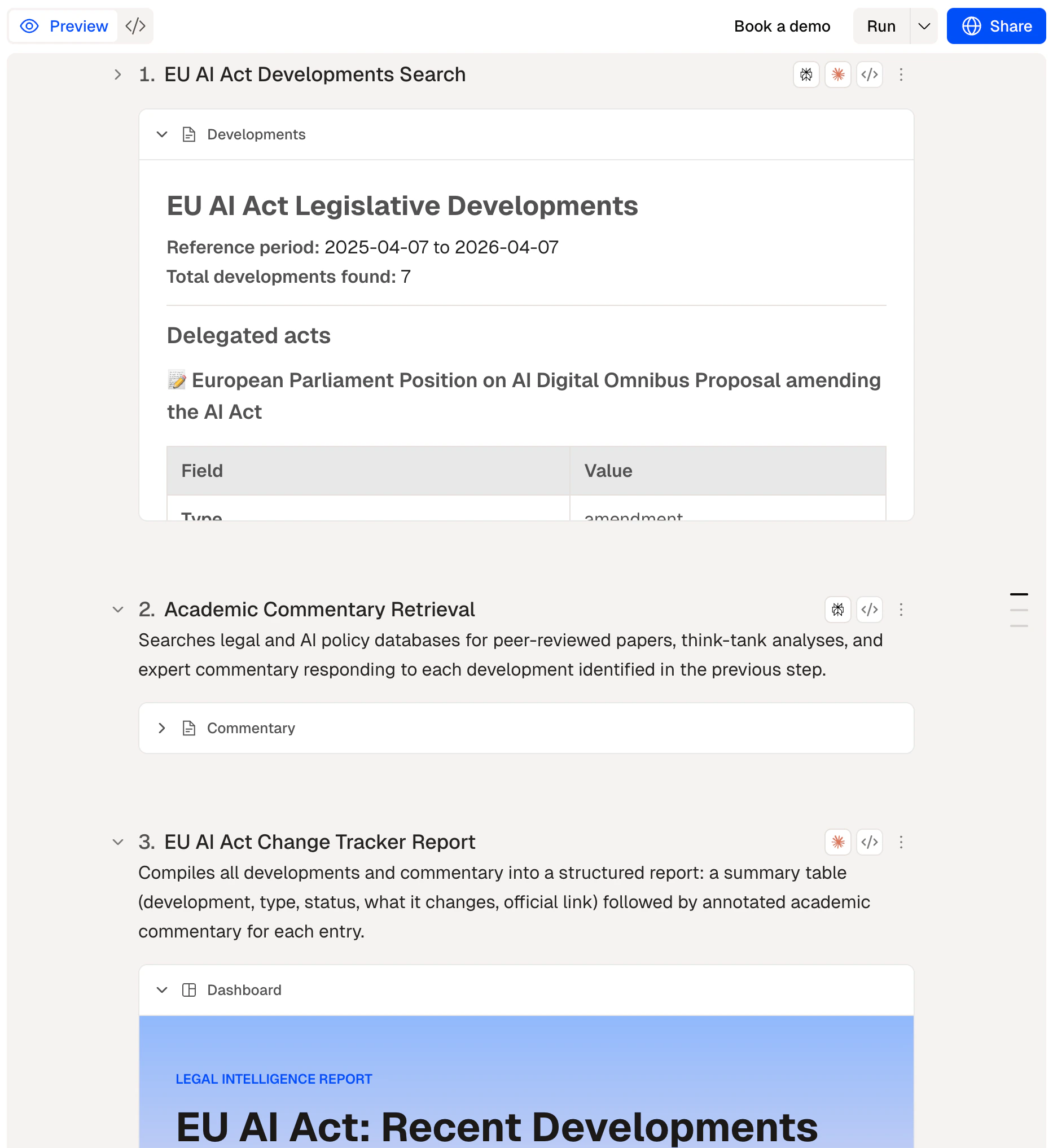
The preview panel showing a step with its description, code, and connector
What to check
Before running, confirm:- Each step does what you intended
- The connectors referenced are the ones you want to use
- Any steps that send, publish, or delete have a Human Checkpoint before them
Adding a Human Checkpoint
To add a Human Checkpoint between steps, prompt the agent and explain where you want to add a checkpoint and describe the approval or input you need.Tips
- Expand the code view if you want to verify exactly what a step does — useful for steps that write or delete data.
- Check connector references. If a step uses
@GoogleDrive, confirm it’s connected to the right account in Connectors. - Run a single step first if you’re unsure about it. You can test individual steps before running the full workflow.
Run
Execute your workflow
Human Checkpoints
Add review gates
Steps
How steps work