

@mention — @Slack, @GoogleDrive, @OpenAI. Felix handles authentication, API calls, and response parsing automatically.
How connectors work
Connect a service once. After that, it’s available across all your workflows.@mention to identify the right connector, call the correct APIs, and handle authentication — without you writing any integration code.
Connector types
AI models — Anthropic, OpenAI, and Google Gemini are available in every Felix account by default. No setup required. See AI Models. Built-in connectors — Pre-built integrations with commonly used services. Connect them once from Settings → Connectors. See Built-in Connectors. Custom connectors — Connect any REST API not in the built-in list. Provide a name, your API credentials, and a description of what the API does. See Custom Connectors.Adding a built-in connector
- Go to Connectors in the sidebar menu
- Find the service you want to connect and click Connect
- Authenticate via OAuth or enter your API key
- Done — the connector is available in all your workflows
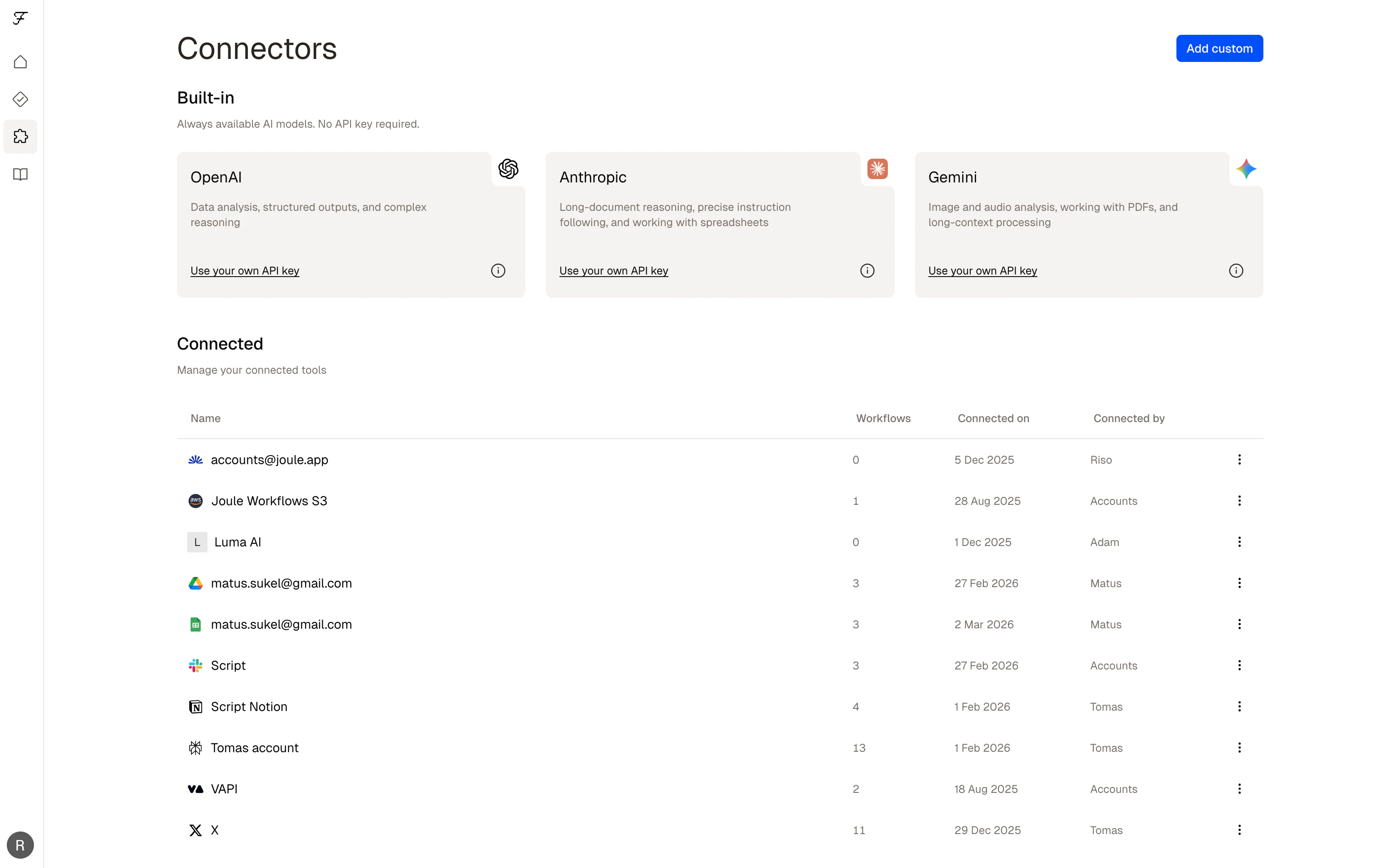
The Connectors page
@mention a connector that isn’t connected yet, Felix will prompt you to authenticate before continuing.
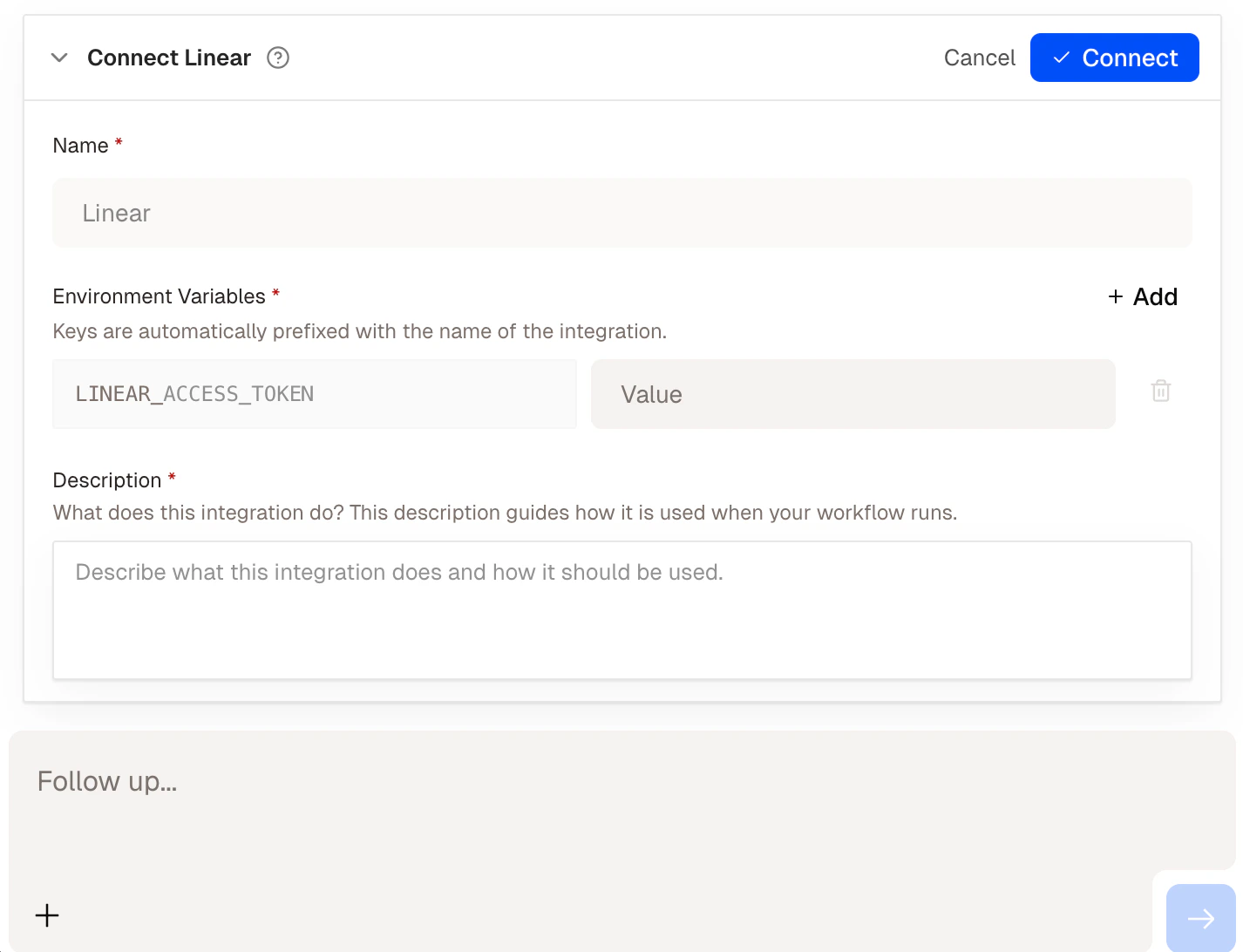
Felix prompting you to connect a service mid-build
Managing your connectors
From Settings → Connectors you can:- See all connected services and their status
- Reconnect a service if authentication has expired
- Revoke access to a service at any time
Tips
- AI models need no setup.
@Anthropic,@OpenAI, and@Geminiwork immediately in any step. - Connect your tools before building. Having connectors set up in advance means Felix can reference them without interrupting the build flow.
- Use
@mentionsexplicitly.@GoogleDriveis clearer than “my file storage” — Felix generates more accurate code when connectors are named directly.
Built-in Connectors
Browse all supported services
AI Models
Use Anthropic, OpenAI, and Gemini
Custom Connectors
Connect any REST API