

Sharing a workflow
From the workflow, click Share. You can share with:- Specific people — by email address
- Your whole team — everyone in your Felix organisation
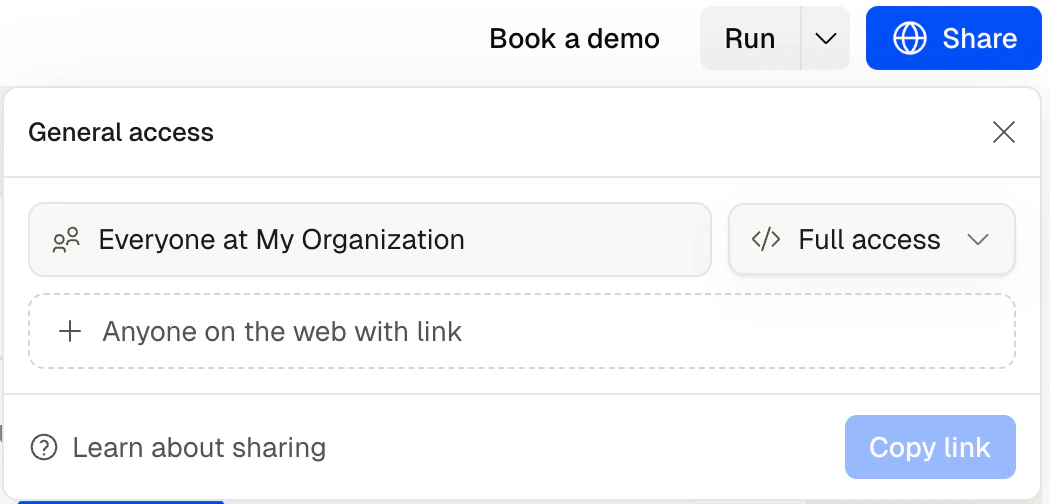
The share dialog with permission levels
Permission levels
Set permissions when sharing or update them any time from the workflow settings.
Human Checkpoints and shared workflows
If your workflow includes Human Checkpoints, you can assign them to specific people. When execution reaches a checkpoint, Felix notifies the assigned person and waits for their input. This is useful for approval chains — for example, a paralegal runs the workflow, but a partner reviews and approves before anything is sent.Tips
- Give run-only access by default. Most people who use a workflow don’t need to edit it — run access is enough.
- Assign Human Checkpoints to the right person. If a step requires a specific person’s sign-off, assign the checkpoint to them directly.
- Use shared workflows to capture institutional knowledge. A workflow built once by one person can run for the whole team — without that person needing to be involved each time.
Running
Run manually, on a schedule, or as a batch
Human Checkpoints
Assign review steps to specific people
Workflows
How workflows are structured