

How Felix generates code
When you describe a step, Felix generates a TypeScript code block that executes your instruction. The code:- Calls the relevant connector APIs using your authenticated credentials
- Handles errors and retries automatically
- Passes outputs to the next step using the variable names Felix assigns
- Runs the same way every time — deterministically
Viewing the code
To inspect the code for any step:- Open the workflow in Preview or from your dashboard
- Click on the step you want to inspect
- Select View code
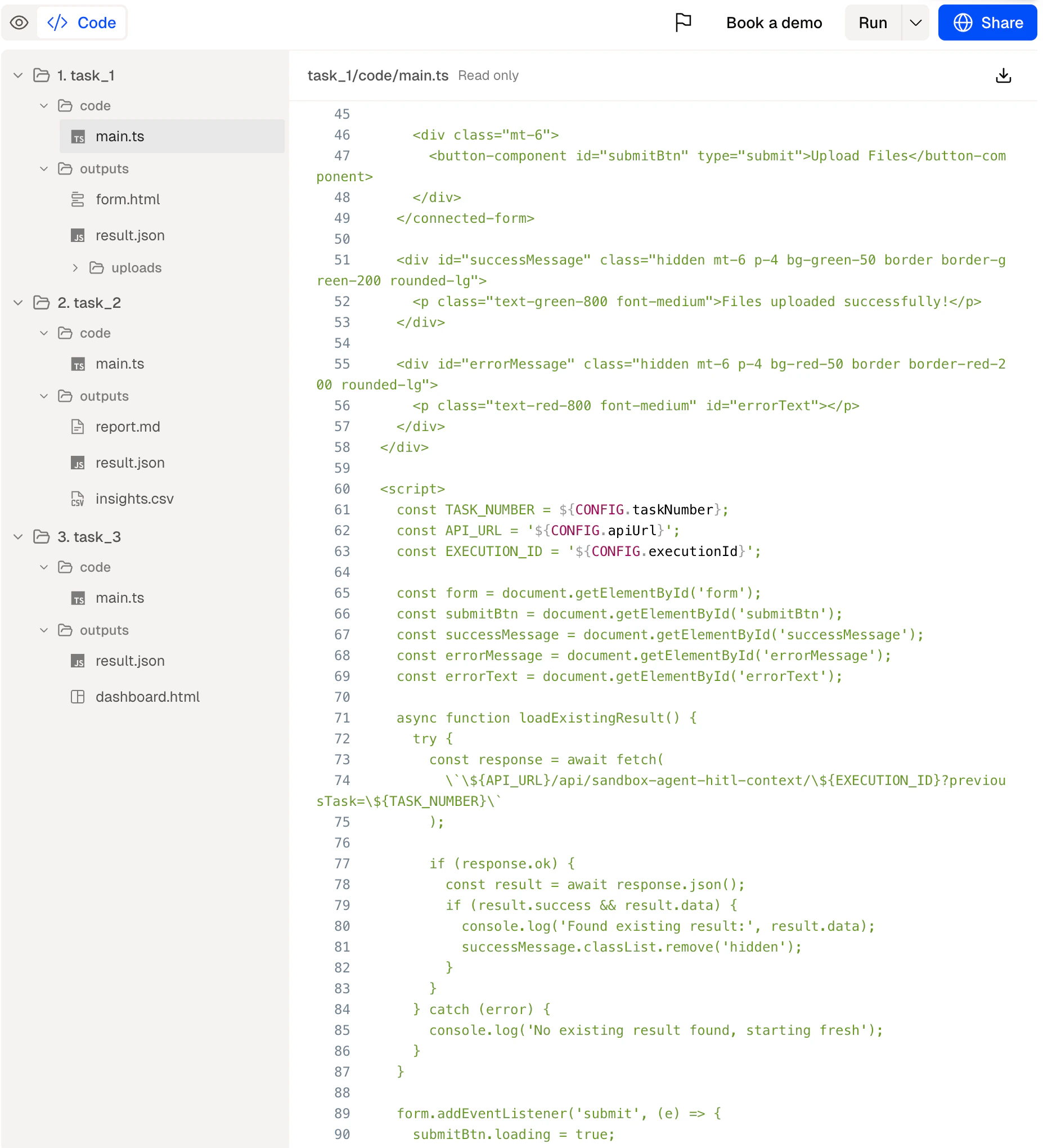
The code view showing generated TypeScript for a step
Editing the code
Felix does not support direct code editing. To change what a step does, update its description and Felix regenerates the code automatically.For IT teams with specific technical requirements — custom error handling, specific API versions, data formatting constraints — describe these requirements in the step description and Felix will incorporate them into the generated code.
Audit trail
Every run produces a full log of what each step’s code received, what it did, and what it produced. This log is available in the run history for every workflow. See Outputs for more on run logs and output formats.Tips
- Review the code before deploying high-stakes workflows. For workflows that write, send, or delete data, a code review adds a useful layer of verification.
- Use Human Checkpoints as a lighter alternative. If you want oversight without reviewing code, a Human Checkpoint pauses execution for your review at the relevant step.
- Share the code view with your IT team. If your organisation requires technical sign-off before deploying automated processes, the code view gives them exactly what they need.
Outputs
What each step produces
Human Checkpoints
Add review gates without editing code
Security
Credentials, encryption, and audit trails