

What happens during a run
Felix executes each step in order. For each step you’ll see:- Status — running, complete, or failed
- Output — the data or result the step produced
- Log — a record of what the step did and what it received
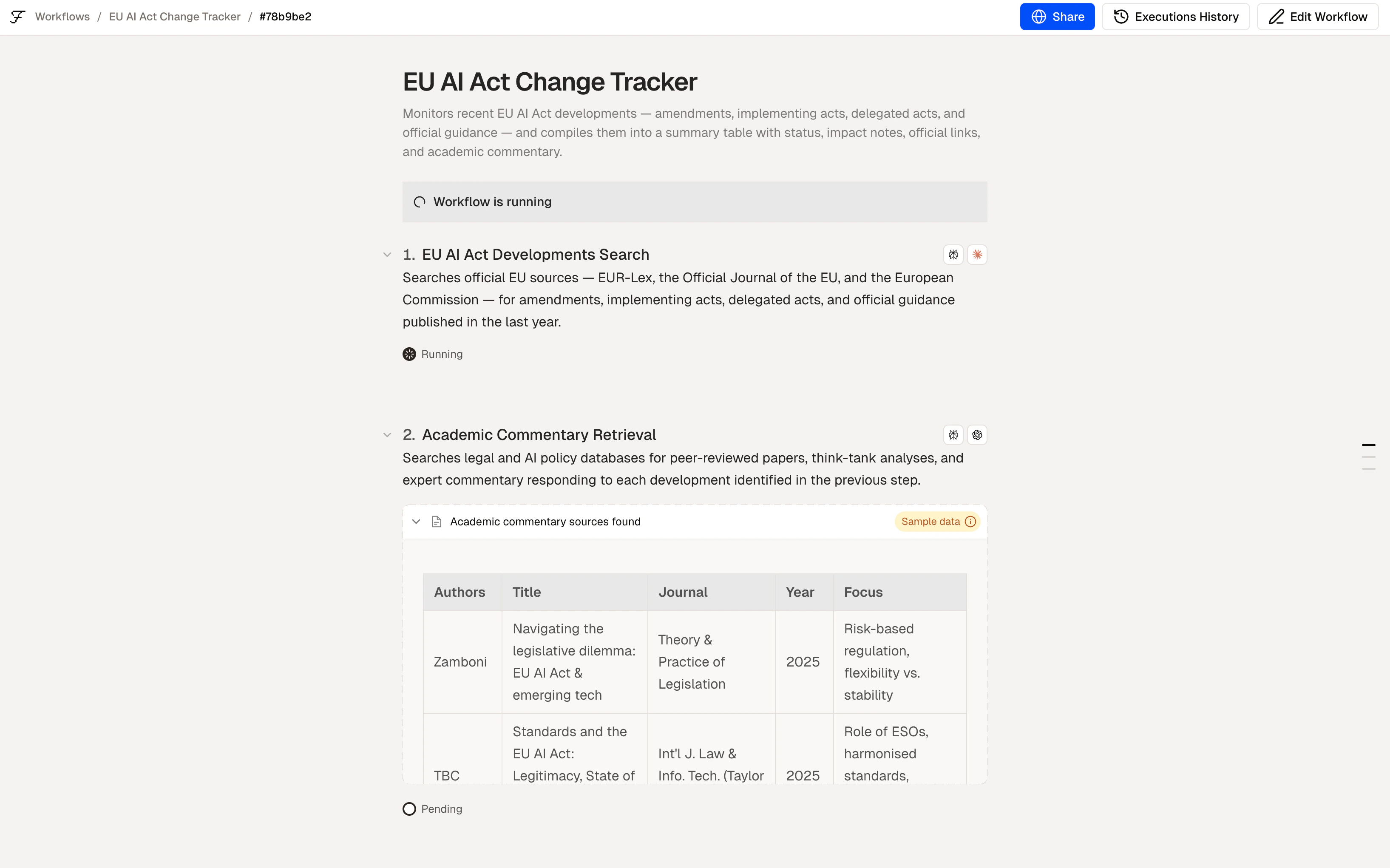
A workflow run in progress with mixed step statuses
Reading the output
When a run completes, you’ll see the final output of your workflow — a file, a table, a document, a notification, or whatever your last step produces. You can also expand any step to see its individual output. This is useful for debugging or verifying that intermediate steps processed data correctly.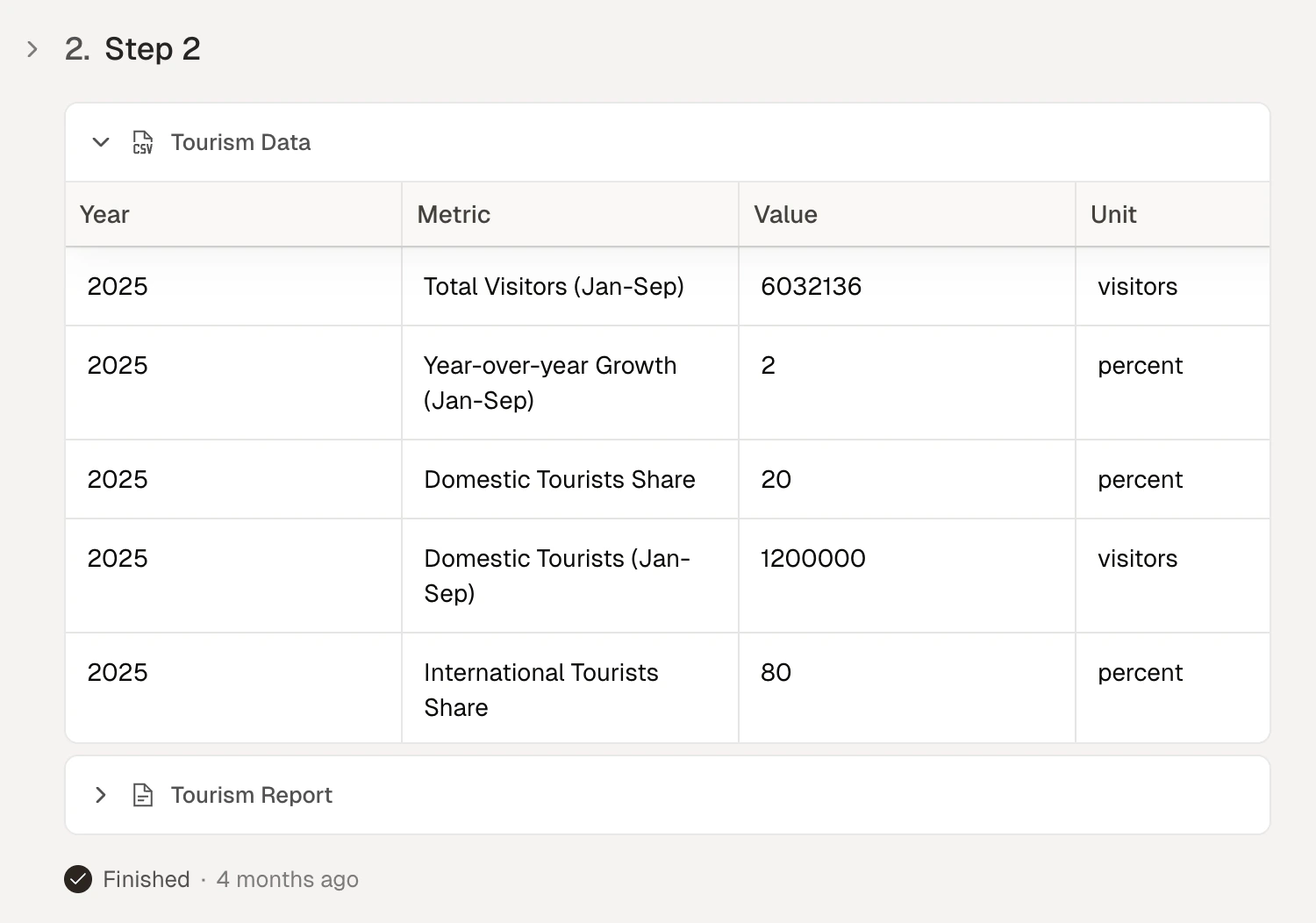
Expanded step output showing the data produced
If a step fails
Felix shows you exactly which step failed and why. Common causes:- Connector not authorised — the connected service needs re-authentication. Go to Connectors to reconnect.
- Missing input — the step expected data from a previous step that didn’t produce it. Check the previous step’s output.
- Description too vague — the step description didn’t give Felix enough to work with. Click the step, update the description, and run again.
Run types
From the builder you can run your workflow in three ways:- Run once — executes immediately on the current input
- Schedule — sets the workflow to run automatically at a set time or interval
- Batch run — processes multiple items through the workflow in one run
Tips
- Test with a small sample first. Before running a batch of 1,000 documents, run with one to confirm the output is correct.
- Check Human Checkpoint notifications. If a run is paused, Felix will notify you. The run waits until you respond.
- Use logs to debug. If a step produces unexpected output, expand its log to see exactly what data it received and what it did with it.
Share
Share with your team
Running
Scheduled and batch runs
Human Checkpoints
How execution pauses and resumes